
TradeTool Platform
Release Notes
Improvements
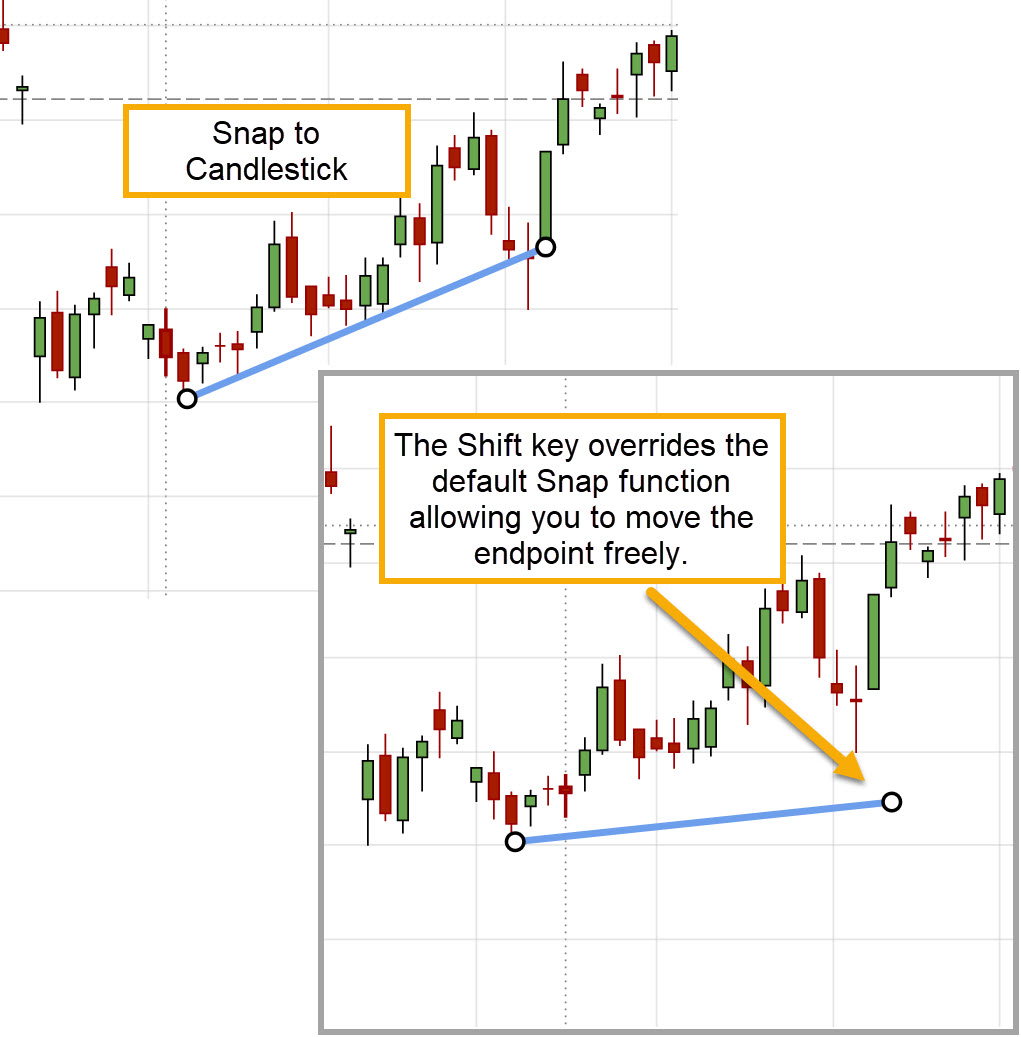
Shift Key Overrides Snapping to Candle
Hold the Shift key to override lines/annotations snapping to candle on the Chart.
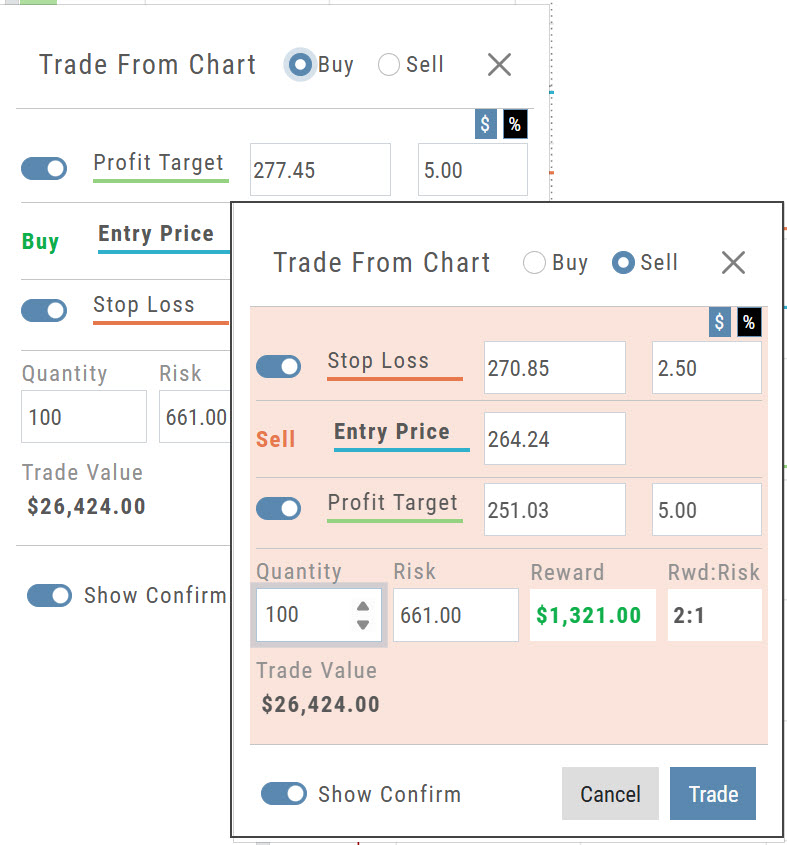
Trade From The Chart
Bracket/OCO order setup now differentiates between Buying and Selling, with a red display for Sell activity.
- Buy keeps the standard display, with the Profit Target above the Entry Price and the Stop Loss below it.
- Sell switches to a red display, with the Stop Loss above the Entry Price and the Profit Target below it.
Percentage of Planned Risk
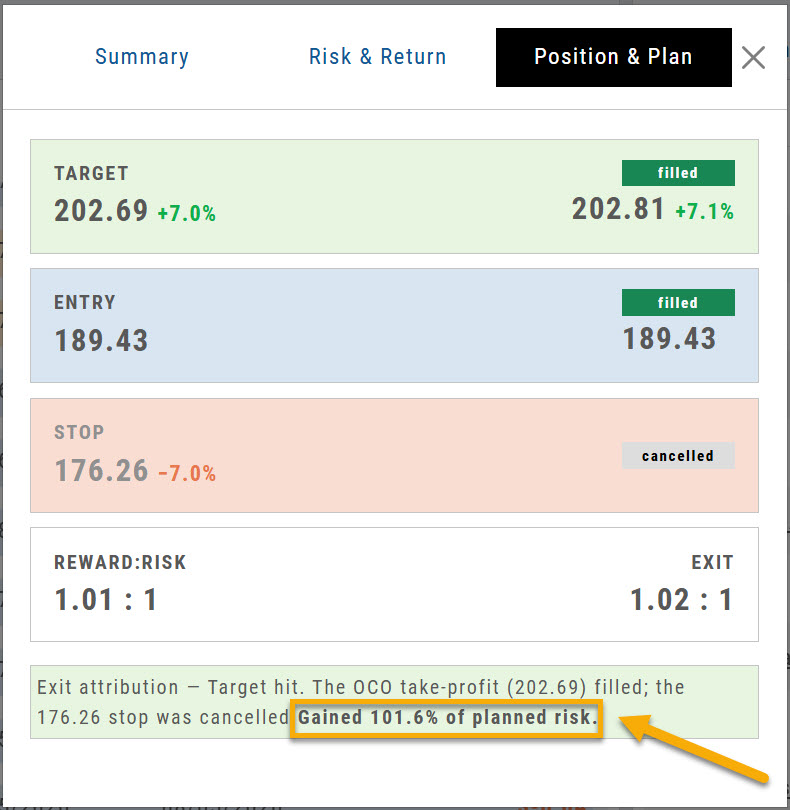
Percentage of Planned Risk has been added to the Journal trade results, as shown.
For example, the trade on the right hit its target. The exit attribution now reads Gained 101.6% of planned risk, which shows how the result compares to the amount you planned to risk on the trade.
Price Chart Changes Are Auto-Saved
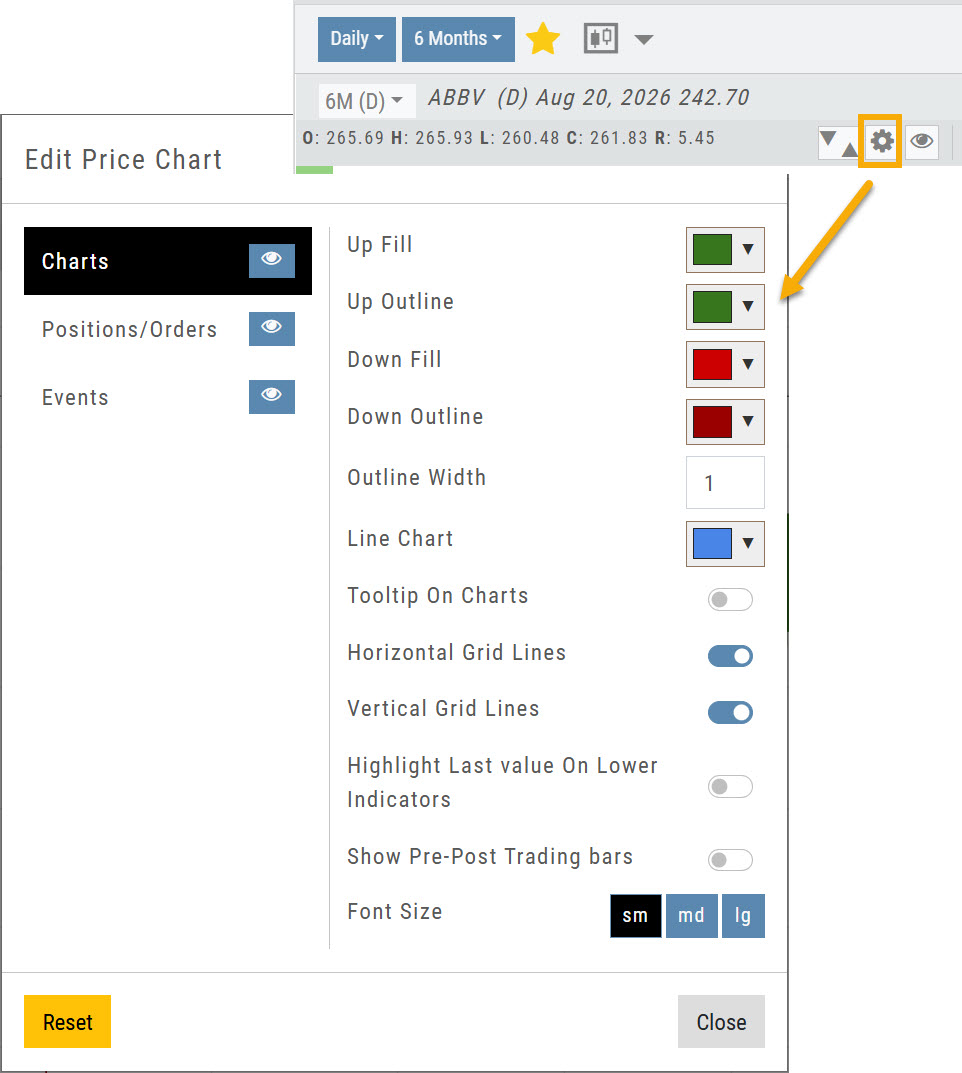
Changes to the Price Chart settings are now saved automatically.
Click the gear icon to open Edit Price Chart, make any changes, then click Close. Your changes stay in place until you change them again.
Manage Positions, Orders & Staged Orders Display on the Chart
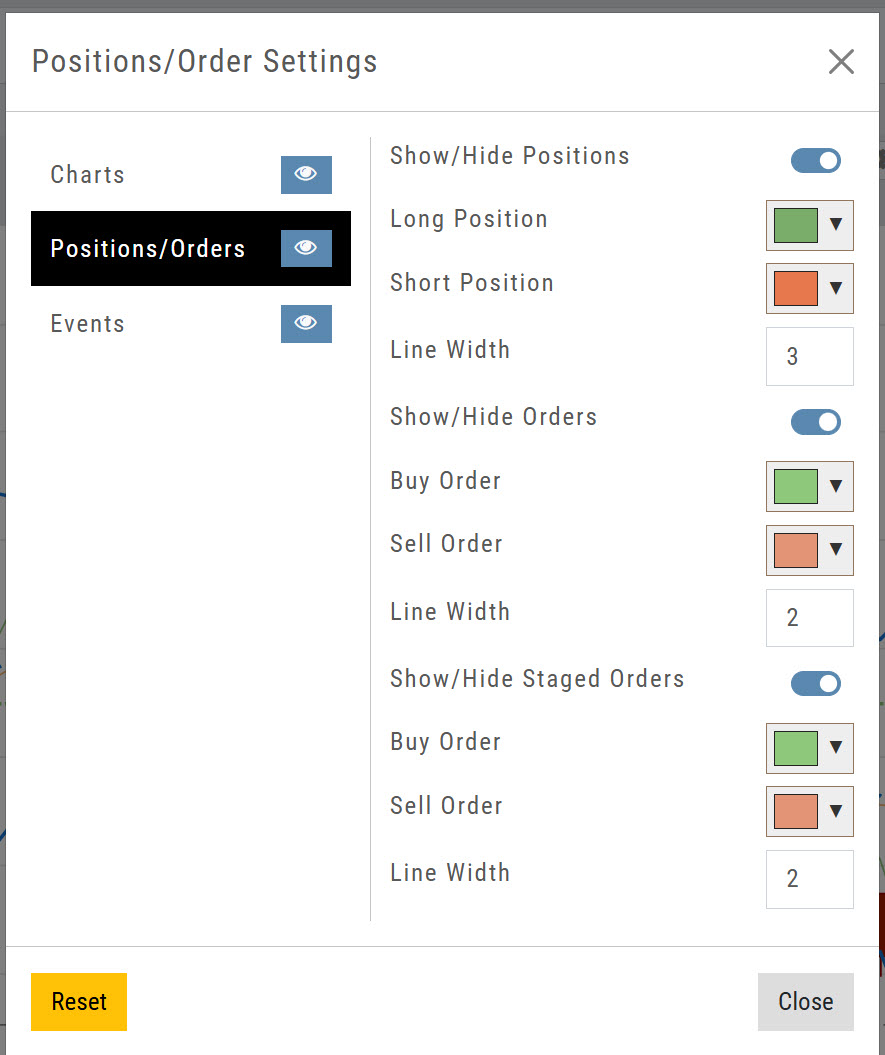
Click on the Price Chart Control gear icon, then Positions/Orders to manage Positions, Orders & Staged Orders on the Chart to further differentiate activity.
- Toggle to display or hide
- Select colors for Long/Short Positions
- Select line width
Manage Pre-Post Trading Bars on the Chart
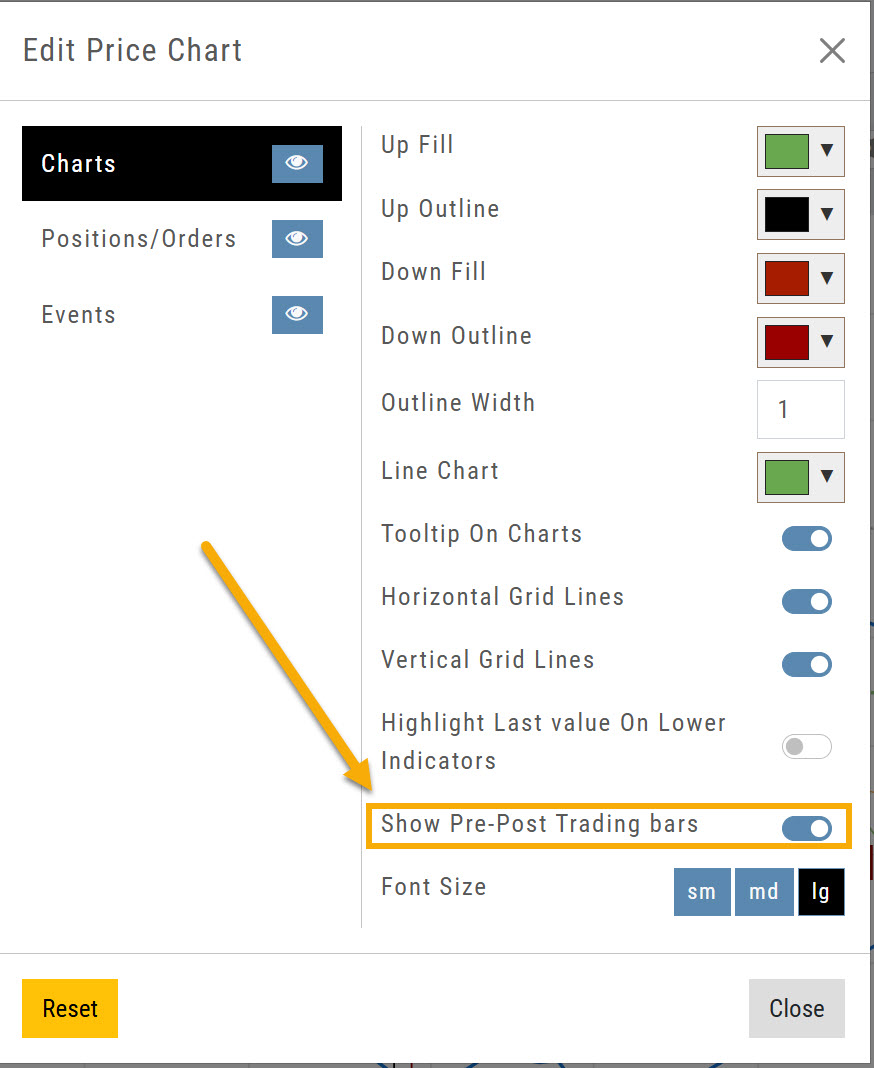
The Price Chart settings now let you display pre-market and post-market bars on intraday charts only.
Open Edit Price Chart from the gear icon and turn Show Pre-Post Trading bars on. If you don't want them, turn the toggle off.
Access Your Favorite Interval/Time Frame on Full Size Charts
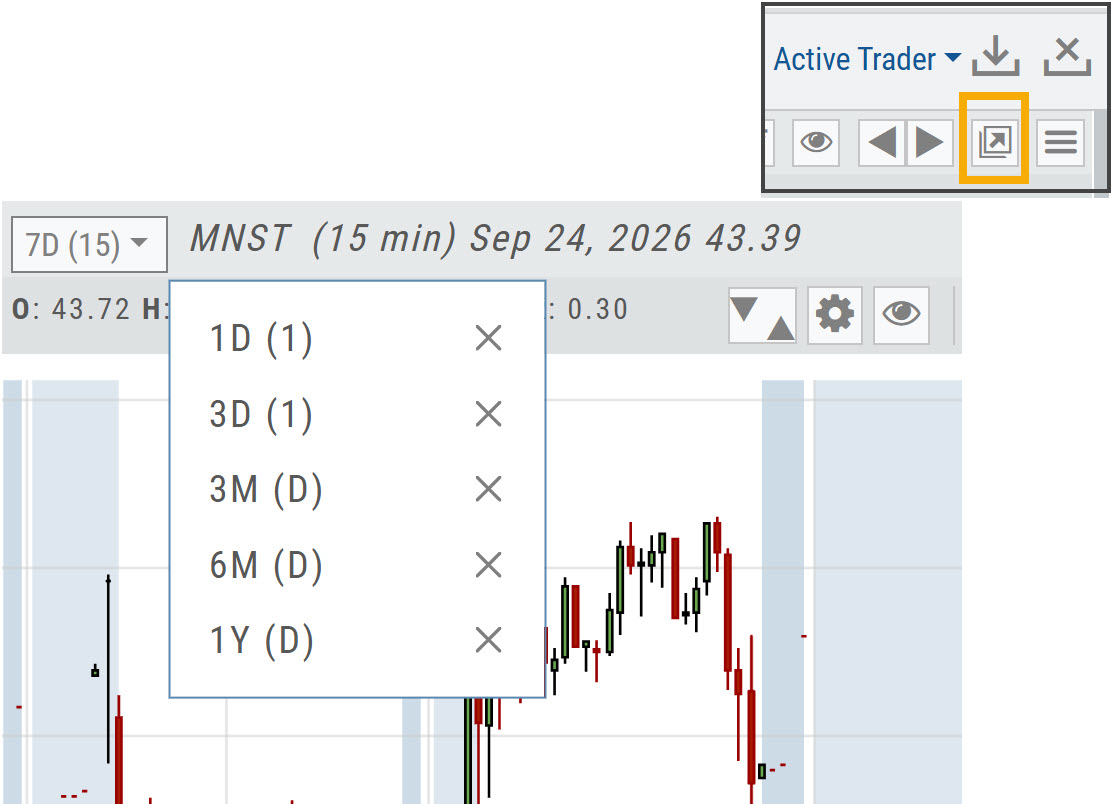
Click the Go Big icon near the upper right corner, above the chart, to expand the chart to screen size.
Your Favorite interval/time frame chart views are available from the top left corner of the chart.
ATR Added to the Stock Info Bar
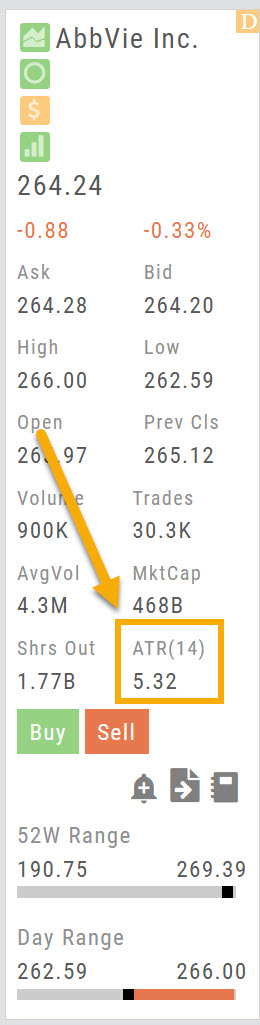
ATR(14) has been added to the stock info bar, next to Shrs Out.
ATR (Average True Range) shows how much a stock typically moves over the last 14 periods, a quick read on its volatility.
Fixes / Change Log
- FixedTradier Live: BNY Symbol: BNY now displays on the chart. (Positions showed the former symbol, BK, which changed to BNY in May.)
- FixedTradier: SEI Symbol: SEI no longer displays as SOI.
- FixedHome Page Sector Bar Graph: now updates.
- FixedCompare: company names now display.
- FixedChart Profiles: your chart profiles now save.
- FixedTrendlines: now extend past the last candle when time is added to the chart.
- FixedModify Orders on Chart: now works correctly.
- FixedSector List: Media & Telecommunications is back in the list.